
Every day, millions of people wait for packages. Sometimes they arrive on time. Sometimes they don’t. And when they don’t, finding out why is frustrating. You have to check a website, dig through emails, maybe even call customer service.
I asked myself: what if this process could be simpler? What if AI could handle it for you?
The Problem
Tracking a package should be simple. But it isn’t. Information is scattered. Updates can be delayed. And if there’s a problem, you’re on your own.
I wanted to see if AI could change that. Not in theory, but in practice.
Building the Solution
I created an AI agent using LangFlow. It’s not just a bot. It’s a system that:
- Remembers previous queries
- Calculates delivery time, costs, or other details precisely
- Calls PostNL directly to fetch tracking information
- Logs every step for tracing and improvement
Here’s the agent flow diagram, showing how input, memory, tools, and output connect:
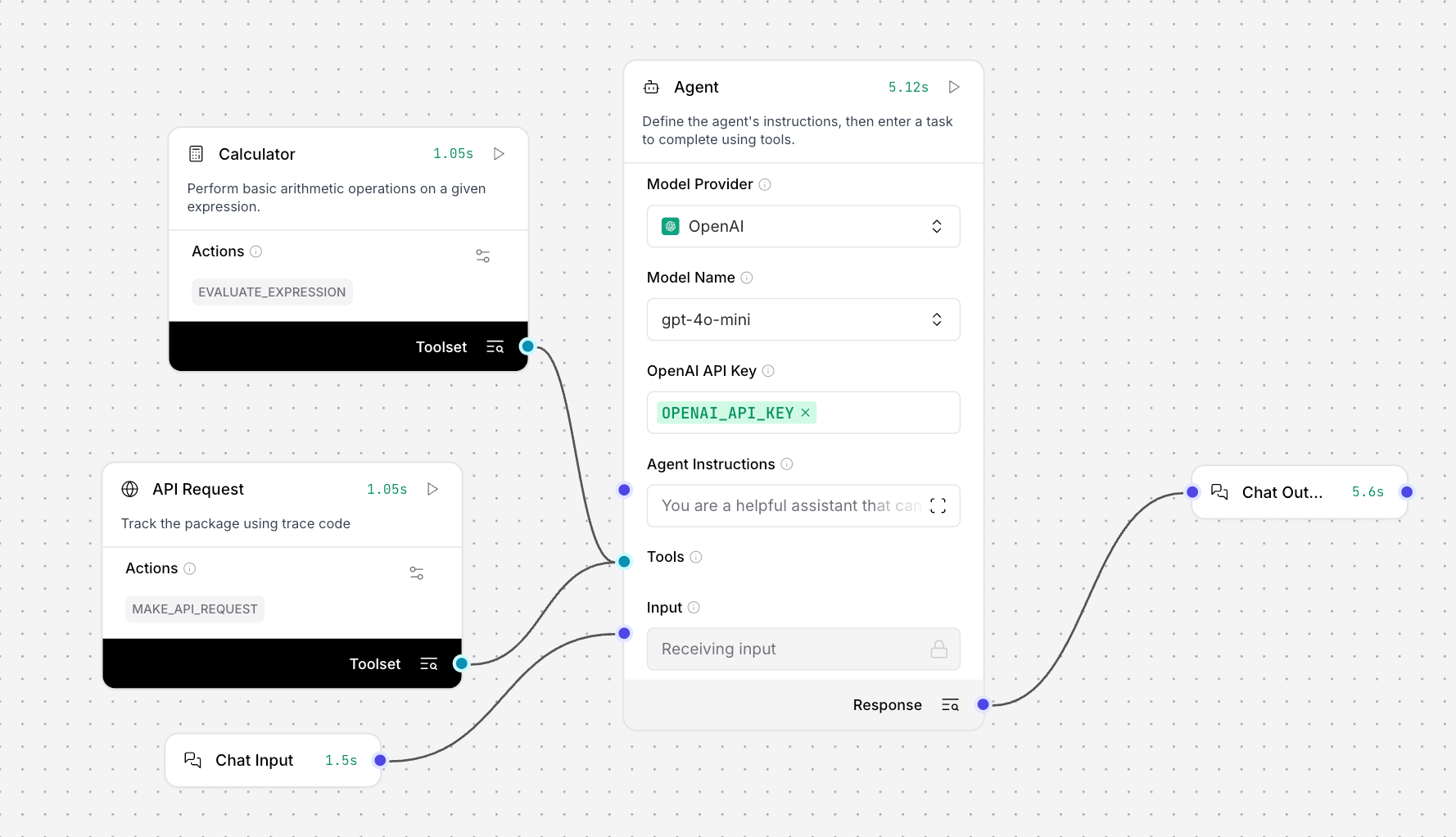
The agent has two main tools:
- Calculator: Handles time, money, and other calculations accurately. I included it as an experiment, but it shows how AI can extend beyond text.
- Custom API Tool: A LangFlow node that talks directly to the PostNL endpoint, getting real tracking data instantly.
How It Works
You provide a tracking code. The agent:
- Calls the API using the custom node.
- Stores the result in memory.
- Uses the calculator tool if needed.
- Returns a complete, accurate answer.
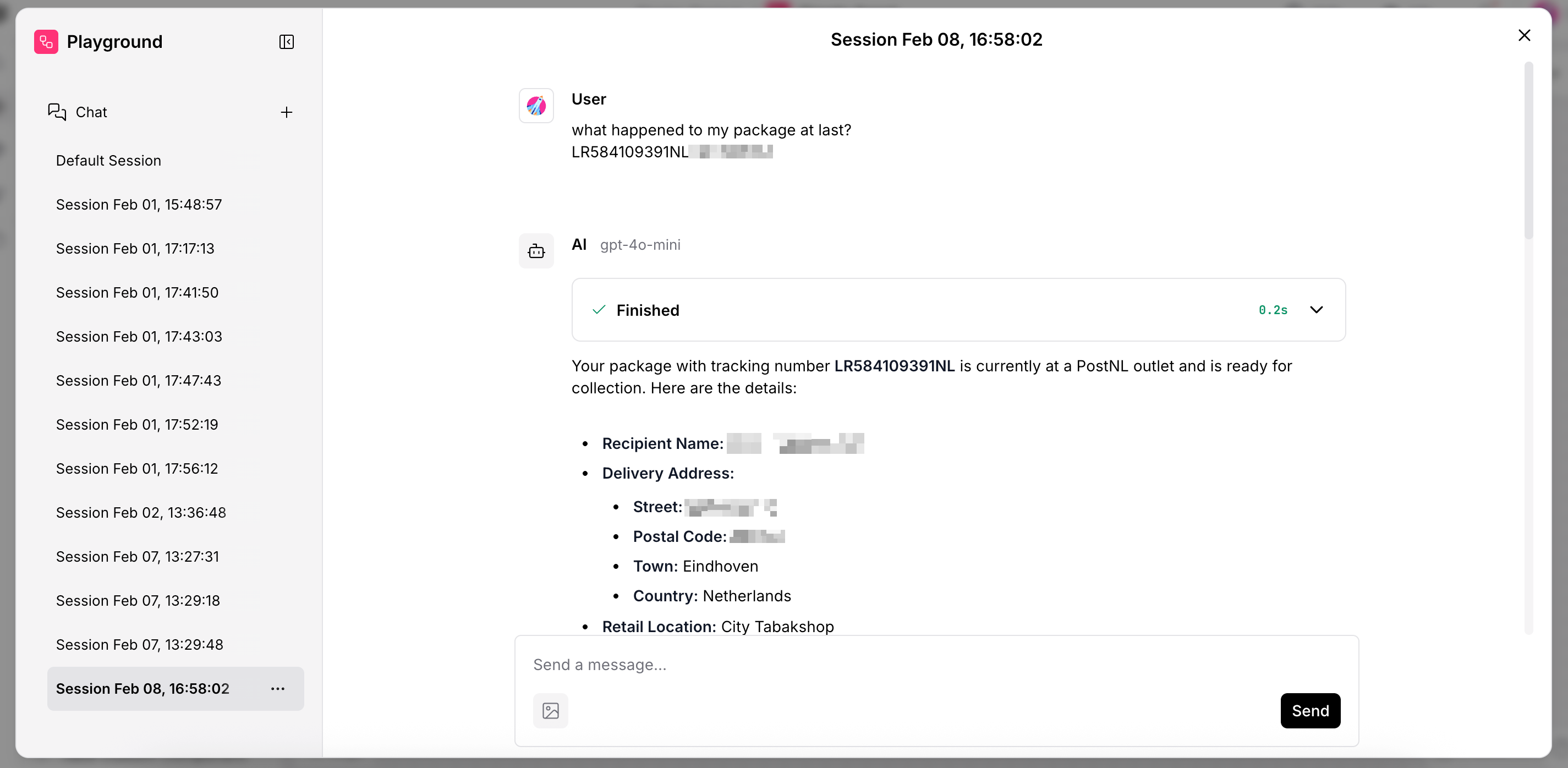
Here’s the agent in the playground, getting a tracking code and responding with all the information:
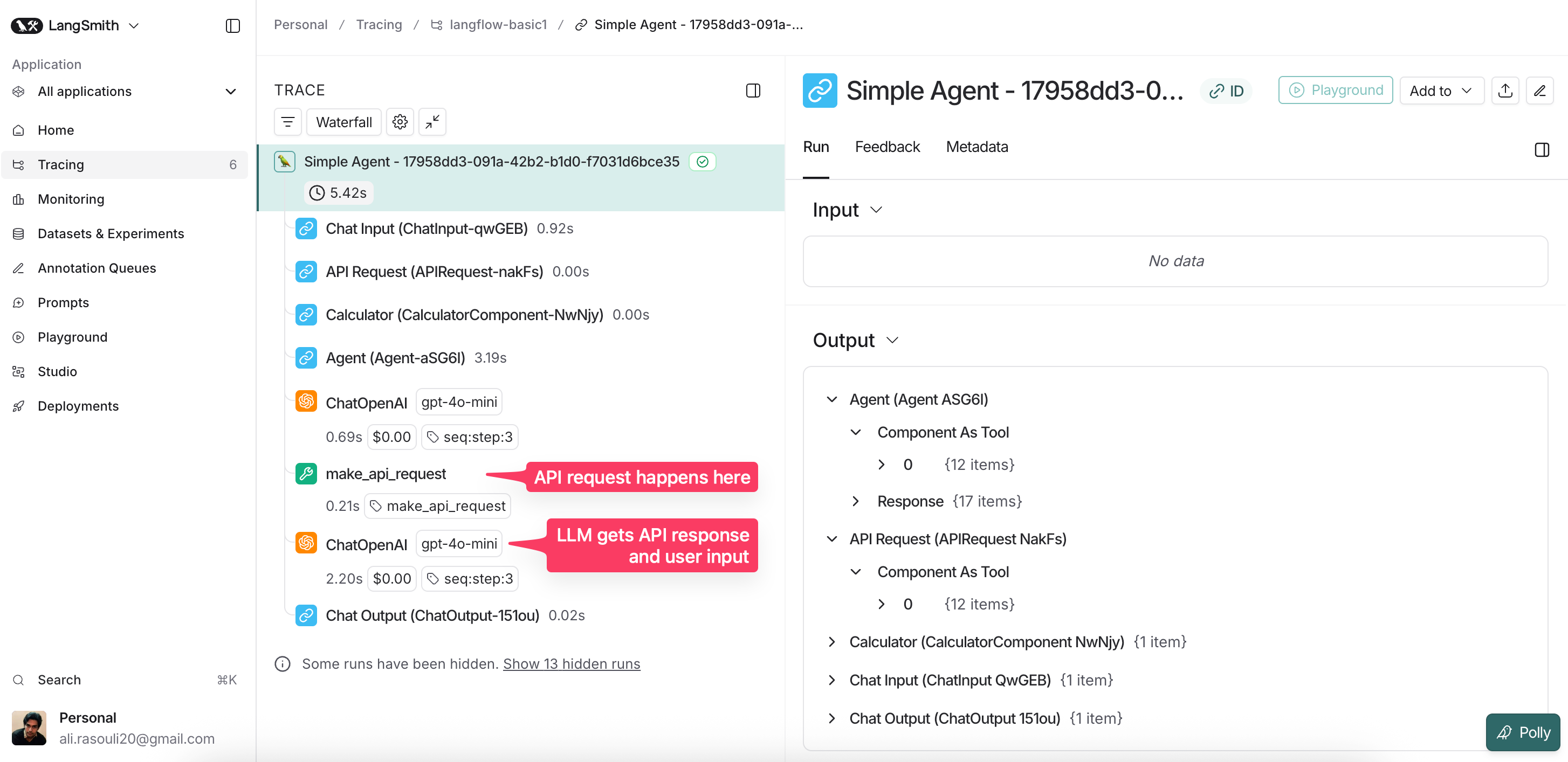
And here’s a glimpse into LangSmith logs—every step of the agent, traceable and understandable:
Why It Matters
This project is small, but it matters.
AI isn’t just about generating text or images. It’s about solving real problems, like making package tracking effortless. Memory, calculation, API integration, and logging make the agent reliable and useful.
It’s also a personal experiment. I’m learning how to combine tools, track results, and build something that truly adds value.
Even for a simple task—tracking a package—AI can make life easier. And that’s the kind of problem I love solving.