
When we decided to add a plant identification feature to Aililis, I pictured it like this: snap a photo, AI recognizes the plant, and boom, it’s added. Simple, right?
Note
To see aililis app in production refer to this link: https://aililis.flutterflow.app/addplantPic
At launch, our assumption was most photos had just one plant. The data had other plans. Almost 40% of uploads showed multiple plants. Some even looked like someone’s entire windowsill or a flower shop. Fixing this to support multiple plants was quick, two days of work, and I pushed it live immediately.
Things improved, but then I noticed something odd in the engagement data: a spike in plant deletions. Users were deleting plants right after adding them. Curious, I dug into feedback:
“It suggested so many plants, I don’t know which one is mine.”
“I had to try 3–4 times to add the right plant—it’s confusing.”
Turns out the AI was doing its job too well, spotting every plant in the photo, and giving users too many options without clarity which one is their intended plant.
In the first iteration, I added more info to the AI output: common names, shape, and color for plants. It helped, but it wasn’t enough.
Iteration two: I asked myself, how can users pick the exact plant they want directly on the picture? Could AI highlight it? This led me to explore “spatial understanding” features.
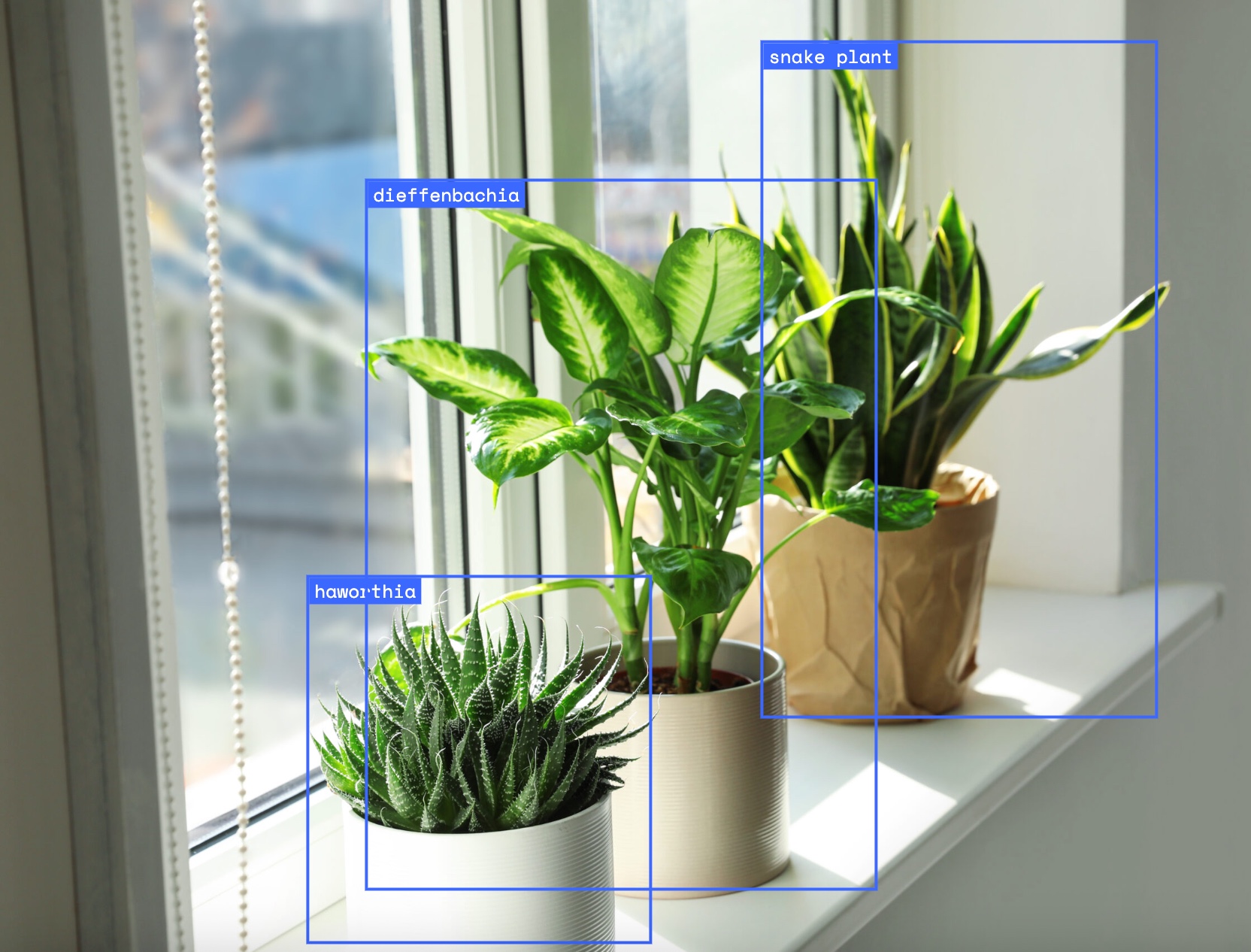
Gemini had it; OpenAI didn’t. I tested it on Google AI Studio
, tuned prompts and parameters, and finally we could highlight individual plants with a box around them and a label.
Note
To try out your Gemini idea or prompt and adjust the LLM settings, use Google AI Studio.
For example, here’s a spatial understanding app
I used to test my idea.
This project reminded me:
Building AI features isn’t just about smart models. It’s about solving real user problems. Listen to the data, pay attention to feedback, and don’t be afraid to let AI do the pointing.